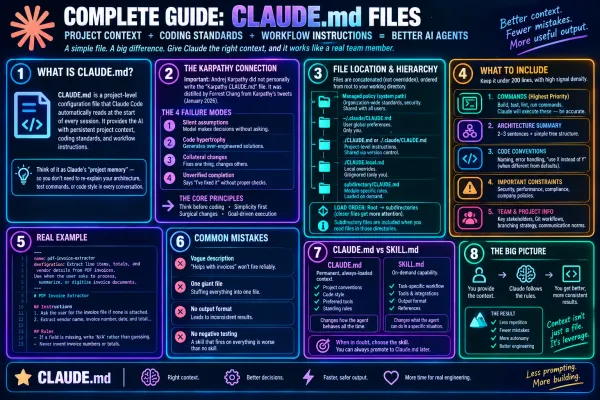
Claude The Complete Guide to CLAUDE.md: Best Practices, Examples, and Templates Core Definition CLAUDE.md is a project-level configuration file that Claude Code automatically reads at the start of every session. It provides the AI with persistent project context, coding standards, and workflow instructions. Placed in the project root, it serves as Claude's "project memory"—you
Claude Prompt caching in Claude explained simply Prompt caching means: “Don’t make Claude read the same big instructions over and over again.” Imagine you have a 50-page instruction manual for your AI assistant. Every time you ask Claude something, normally it has to process that manual again: 📖 50-page instructions + “What is the answer to
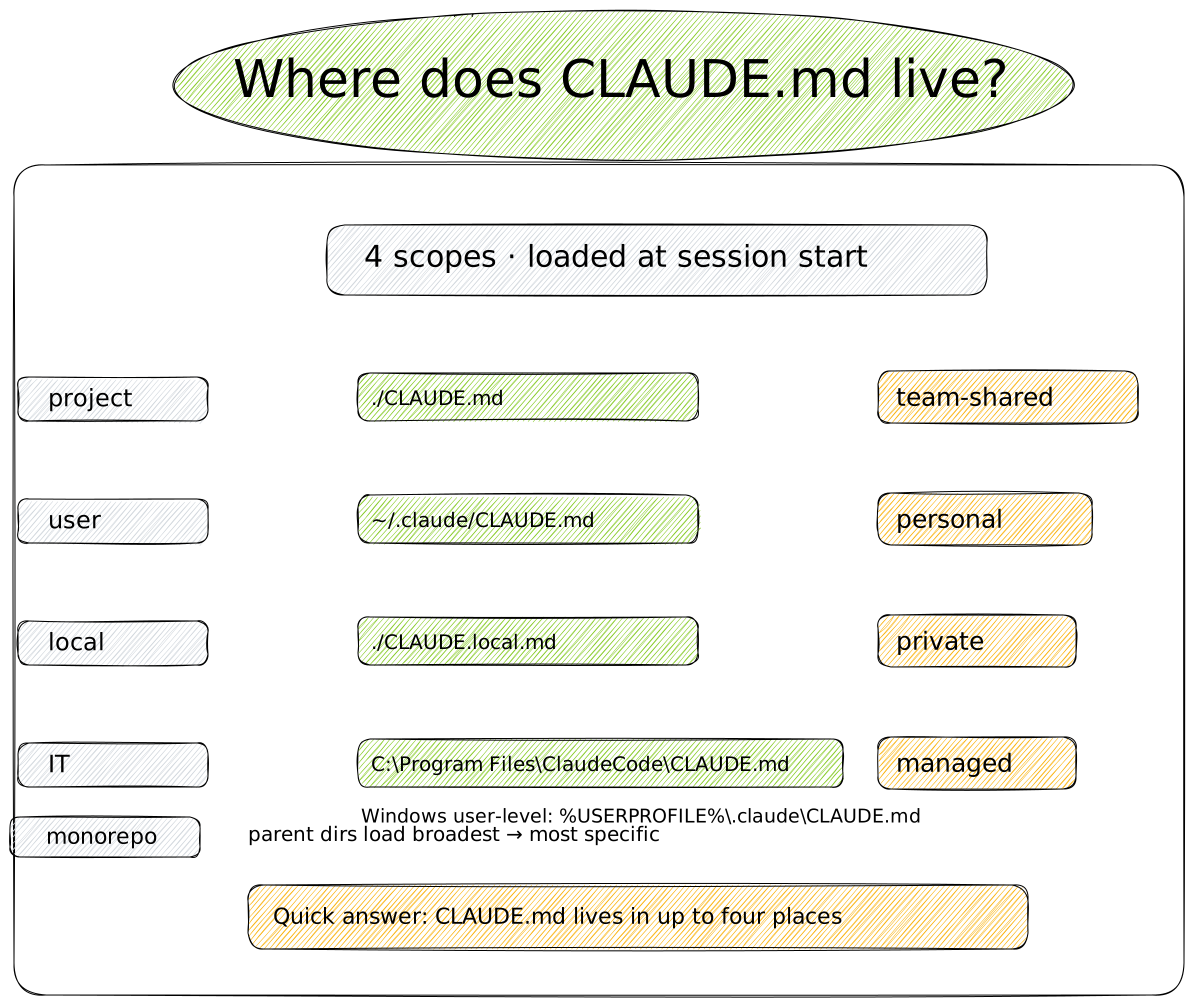
Claude Where Is the CLAUDE.md File? Locations, Examples, and Best Practices for Claude Code claude.md is typically at ~/.claude/claude.md (global) or ./claude.md in your project root. Here's exactly where to find it on Mac, Windows, and Linux.
Claude How to Change the Model in Claude Code Claude Code lets you switch between models — Sonnet, Opus, Haiku, and Fable 5 — at almost any point: mid-conversation, at startup, as a permanent default, or through a keyboard shortcut. This guide walks through every method, across the terminal, VS Code, and GitHub Actions. Quick answer The fastest way to
Claude Claude Magic Link Expired: How to Fix “This Link Has Already Been Used” and “This Link Has Expired” Seeing “This link has already been used” or “This link has expired” when trying to log in to Claude can be frustrating. The good news: your account is almost certainly fine. These errors almost always come down to how the magic link was requested, opened, or used. Here’s what’