
Why You Keep Getting ChatGPT Verification Codes You Didn't Ask For

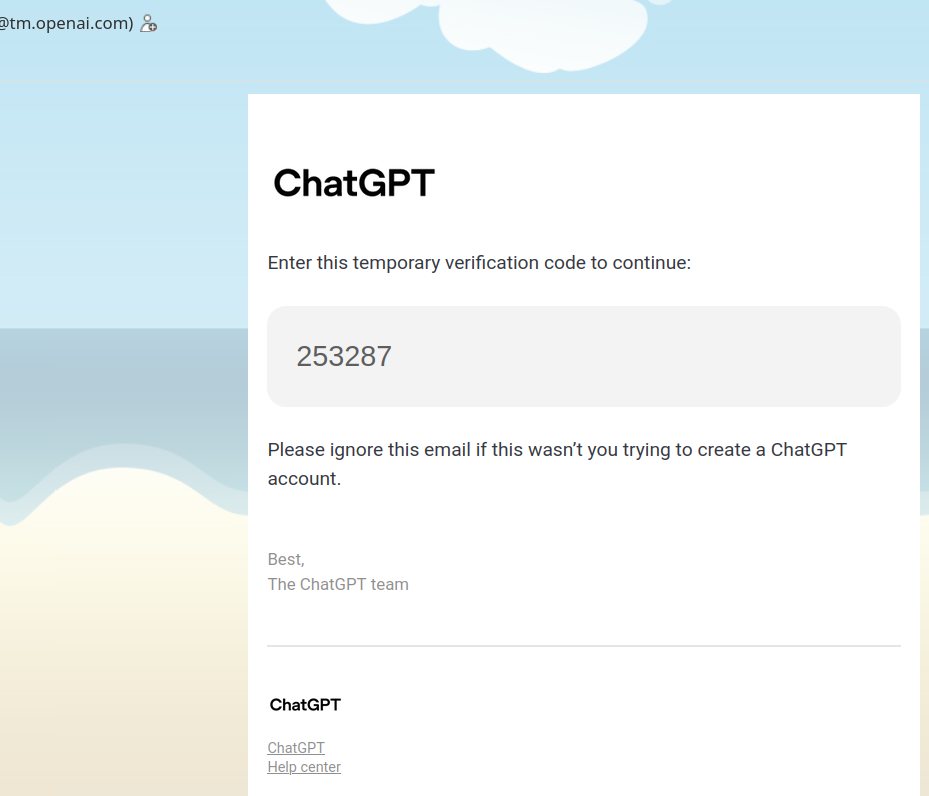
Lately, a lot of people have been reporting a strange email landing in their inbox: "Your temporary ChatGPT verification code." It contains a six-digit code.
The odd part? Many recipients have never signed up for ChatGPT — or never used that email address to register. Some people report getting ten of these in a single day.
Is your account being hacked? Is it a phishing attack? Here's a breakdown of the problem, the cause, and the solution.
The Problem
What people are seeing:
- An unexpected email from an OpenAI address (something like
[email protected]or[email protected]). - Body text: "Your temporary ChatGPT verification code is: XXXXXX."
- The recipient never registered for ChatGPT, or no longer uses that email.
- Sometimes multiple emails arrive in quick succession.
Key point: This email is likely genuinely from OpenAI — not a phishing attempt. Its arrival means someone is trying to log in to ChatGPT using your email address.
Note 1: verify that mail is genuine!!!
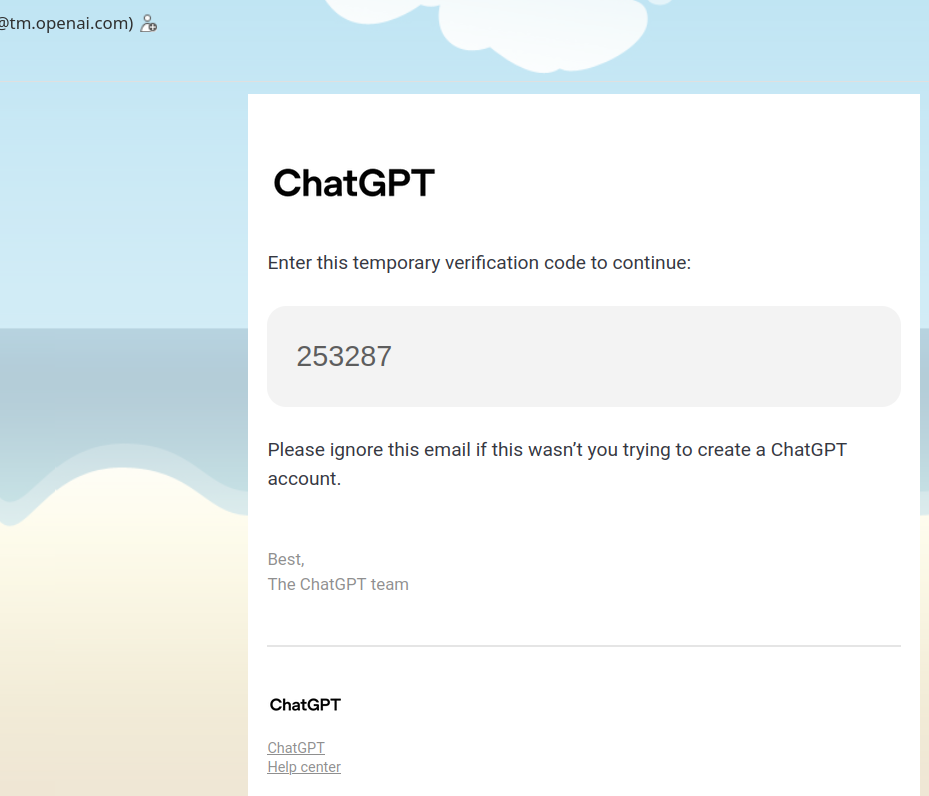
Note 2 Higher number of European / Germany people comlained about this: "Your temporary ChatGPT verification code" while not requested..and not having an account at all
The Cause
The logic is simple: OpenAI's login flow asks for an email → someone entered yours → OpenAI sent the code to you.
A few scenarios explain why:
1. Someone mistyped their email (most common)
Your address may be very similar to someone else's. They fat-fingered it during signup or login. For example, they meant [email protected] but typed [email protected]. Harmless mistake — they'll give up when they never receive the code.
2. Someone is deliberately trying to register with your email
Some people attempt to sign up using someone else's address, hoping to hide their identity or just test addresses in bulk. The codes keep coming to you, and they never complete verification.
3. Your email was exposed in a data breach
If your address appeared in a leak, automated scripts may be cycling it through signup attempts on various services, ChatGPT included.
4. Someone is trying to break into your ChatGPT account (if you have one)
If you do have a ChatGPT account and didn't initiate this login, take it seriously. Either someone has your email password and is trying to log in, or they're attempting an account takeover via the password reset flow. OpenAI triggers email verification when it detects new device logins, logins from unusual locations, or sensitive account actions.
The Solution
Scenario A: You have no ChatGPT account on this email
Just ignore and delete the email. Receiving a code doesn't create an account — registration requires completing further steps. If the volume becomes annoying:
- Blacklist the sender (carefully — you might want official OpenAI mail later).
- Set up a filter to auto-archive or delete messages containing "ChatGPT verification code."
- If your provider supports it, restrict incoming mail to known contacts.
Scenario B: You have a ChatGPT account and didn't request this
Take action:
- Don't panic, but confirm it wasn't you on another device or browser.
- Change your ChatGPT password immediately — use a strong one (12+ characters, mixed case, numbers, symbols).
- Enable multi-factor authentication (MFA) in Settings → Security. OpenAI supports authenticator apps, push notifications via the ChatGPT app, SMS/WhatsApp, and passkeys.
- Log out of all devices and review active sessions for anything unfamiliar.
- Secure your email account too — change its password, enable 2FA, and check for suspicious auto-forwarding rules.
Scenario C: Persistent spam-like volume
- Report it to OpenAI via help.openai.com, explaining your address is being abused.
- Check whether your address is publicly visible somewhere (e.g., disposable email platforms). If so, switch to a different address.
Important: The Email Itself Is Not the Threat
Receiving a verification code does not mean your account has been compromised. The code exists to prove you control the inbox. If an attacker can't access your email, they can't get the code, and they can't complete the login.
In other words: the code arriving is the security system working as intended — blocking unauthorized access.
Never share the code with anyone, including anyone claiming to be "OpenAI support." OpenAI will never ask you for it.
Summary
| Situation | Cause | Action |
|---|---|---|
| No account, occasional emails | Someone mistyped their address | Ignore and delete |
| No account, frequent emails | Malicious attempts or a leak | Filter, report if needed |
| Have an account, didn't request it | Login attempt on your account | Change password + enable MFA + log out everywhere |
| Email from official OpenAI domain | Legitimate system email | Verify the domain, don't click suspicious links |
Bottom line: The code is like your front door code. Someone rang the bell, but you didn't open the door. They can't get in.
Sorry again for the language slip. If you'd like this reformatted (shorter, more casual, SEO-optimized, etc.), just say the word.